Role
R&D · open source
An open-source Expo native module that stitches overlapping phone photos into panoramas — OpenCV under the hood, one symmetric API across iOS and Android.
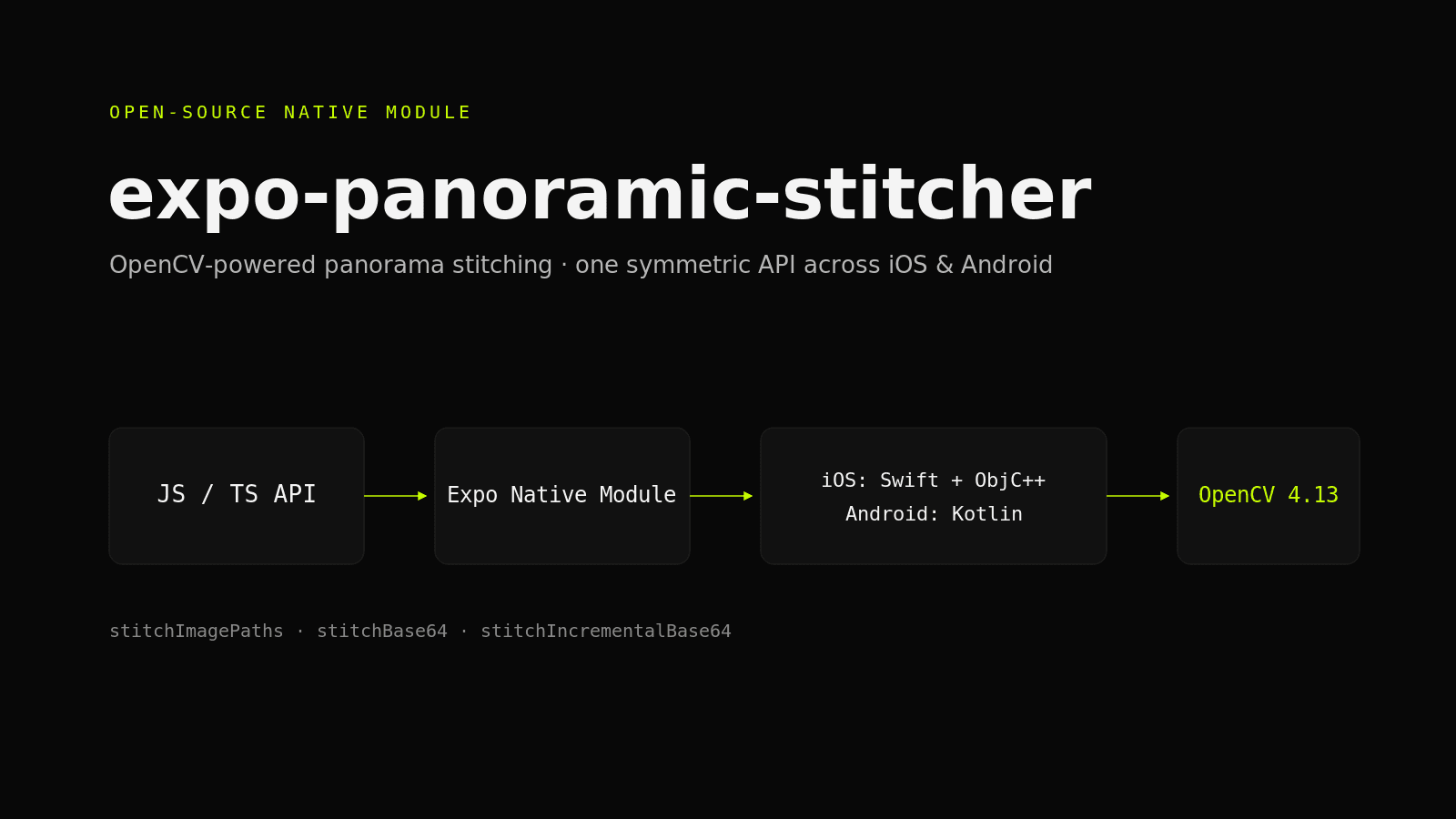
expo-panoramic-stitcher is an Expo native module we built and open-sourced. It takes a set of overlapping photos and stitches them into a single panorama — a 360° equirectangular image, a wide horizontal sweep, or a flat scan — using OpenCV's stitching pipeline behind a thin native bridge.
We released it because panorama stitching is a recurring need in camera and mapping apps, and getting OpenCV into a React Native project is normally a multi-day yak-shave. The module hides that work behind a handful of typed functions that behave identically on iOS and Android, so a panorama feature becomes an afternoon, not a sprint.
It has grown since the first release. Version 0.6 adds a guided-sweep capture screen and a stitchSweep call that turns one slow turn on the spot into a panorama, and the way OpenCV gets into the app changed twice once real projects started consuming it. We use it ourselves: it is the capture engine behind FieldDojo's upcoming Walkthrough feature.
OpenCV is the obvious engine for image stitching, but getting it into a React Native app is painful. Every team does the same work again: download a multi-hundred-megabyte SDK by hand, wire a CMake/NDK build on Android and an XCFramework on iOS, write JNI glue, then keep all of it alive across toolchain bumps.
Even once it compiles, the two platforms drift. iOS and Android grow separate native code paths with different option names, different return shapes, and different bugs — so the JavaScript layer has to special-case each one.
There was no drop-in, Expo-friendly way to do this. The few existing options assumed bare workflows, shipped divergent APIs, or had gone unmaintained against modern Expo SDKs.
We treated the module as a thin, symmetric bridge over a proven engine. The goal was to expose OpenCV's stitcher with as little native surface as possible, keep both platforms behaving identically, and make installation a normal dependency add rather than a build project. Two of the four decisions below survived contact with real apps unchanged. The first one did not, and the current version is the honest one.
The first release leaned on package managers: SPM for a prebuilt XCFramework on iOS, the Maven AAR on Android. Both broke in real apps. The SPM route left cv:: symbols undefined under static frameworks, and the Maven AAR ships without the stitching module at all. Now the iOS framework is fetched and SHA-256 checked at npm install, and on Android Gradle downloads the official OpenCV Android SDK once, caches it, and CMake links only the stitching modules statically. Consumers still just install and build. Nothing is checked into git either way.
All the C++ that touches OpenCV lives in one Objective-C++ shim on iOS (about 180 lines) and one JNI file on Android (about 190), and the stitch core in the two is the same code. Everything above that, option parsing, temp files, base64, is ordinary Swift and Kotlin, so the part that can actually go wrong is small and auditable.
Both platforms expose the same functions, the same option names, and the same result shapes. The TypeScript layer applies a single set of defaults and validation, so app code never branches on Platform.OS to stitch an image.
The native core only ever reads and writes image files, which keeps memory predictable. Base64 encode/decode happens at the Swift/Kotlin boundary for the convenience APIs, so the heavy C++ path stays identical regardless of how the caller hands images in.
stitchImagePaths (lowest memory, JPEG on disk), stitchBase64 (same payload on both platforms), stitchIncrementalBase64 for building a panorama frame by frame, and stitchSweep, which takes photos tagged with the compass heading they were shot at and closes the loop on a full turn.
Pick a warp mode to match the shot — spherical for 360° panoramas, cylindrical for wide horizontal sweeps, and plane (OpenCV SCANS) for flat, near-planar scans.
Sensible defaults out of the box, with knobs for blend strength, feature-match confidence, panorama confidence, output width, and JPEG quality when a shot needs a firmer hand.
Identical functions, options, and result shapes on iOS and Android — plus a web stub and isStitchingAvailable() so callers can degrade gracefully where OpenCV isn't present.
Long stitches emit onStitchProgress with a 0–1 value and a stage name, so the app can show real feedback instead of an indefinite spinner.
All stitching runs natively on the device with no server round-trip — usable offline, with nothing leaving the phone.
An optional capture screen (import from /capture) reads the gyroscope, tells the user to turn, slow down, hold, or level the phone, and fires the shutter every 15° with haptic feedback. Strings and HUD are replaceable.
OpenCV will quietly drop frames it cannot match. Every result now reports which input indices were used, and failures come back as readable messages (not enough overlap, wrong warp mode for the scene) instead of a status number.
The module is three layers: a typed TypeScript API, and two thin native implementations that share one C++ stitch core over OpenCV 4.13. Base64 handling sits at the language boundary so the C++ stays minimal and identical across platforms.
index.ts applies defaults and validation over the native module and implements stitchSweep on top of the primitives; ExpoPanoramicStitcherModule.ts declares the typed surface and events; a .web.ts stub reports unavailable so universal code compiles everywhere. The /capture subpath adds the guided-sweep hook and screen, with expo-camera and expo-sensors as optional peers.
A Swift module handles option records, temp files, and base64, then calls a single Objective-C++ shim that wraps cv::Stitcher. OpenCV is a prebuilt XCFramework the package downloads and verifies at npm install, vendored into the pod as a static framework.
A Kotlin module does the Expo-facing work and hands file paths to one JNI C++ file that runs the same stitch core as iOS. Gradle downloads the official OpenCV 4.13.0 Android SDK once into its cache and CMake links the stitching, calib3d, features2d, imgcodecs, imgproc and core modules statically into a single libpanostitcher.so. Temp files are cleaned in finally blocks to keep memory flat across repeated stitches.
Ship the same behaviour on two platforms with completely different native toolchains, without maintaining two divergent APIs.
We defined one option set and one result shape, applied defaults once in TypeScript, and mapped them onto cv::Stitcher in one C++ stitch core that both the Objective-C++ shim and the Android JNI file carry verbatim. Warp mode, matcher choice, resize logic, and JPEG encoding are the same lines on both platforms, so a panorama looks the same and the JS layer never branches on platform.
OpenCV's C++ headers redefine Objective-C's YES and NO macros, which breaks compilation when imported into an Objective-C++ file.
The shim undefines and restores those macros around the OpenCV import, isolating the conflict to a few lines instead of leaking it into the rest of the iOS module.
The package-manager approach from the first release fell over as soon as real apps consumed the module.
On iOS, apps built with static frameworks got undefined cv:: symbols from the SPM dependency. On Android, the Maven AAR turned out to ship without OpenCV's stitching module, which is the one thing we needed. Version 0.3 and 0.4 replaced both: a postinstall script fetches the iOS XCFramework and verifies its hash, and a Gradle task fetches the official Android SDK once per machine so CMake can link it statically. The install command did not change.
Stitching is memory-heavy, and a leak compounds fast when frames are fed in continuously for incremental panoramas.
The native core operates only on image files, every OpenCV Mat is released explicitly, and temp images are cleaned in defer/finally blocks. Base64 is decoded to a temp JPEG, stitched, then encoded back — so the expensive path is identical to the file-path API and never accumulates buffers.
Tell us about your project. Notchip scopes, designs, and ships on a milestone basis — you only pay for results.
Start a project